


How do I export and download a clip?
Open the clip and press Download. Auk renders the clip as it looks in the editor into an MP4, and exporting never costs credits.
How do I download a clip from the project page?
- Click the clip's tile to open the player.
- Press Download.
If the clip has an up-to-date MP4, it saves straight away. If not, Auk renders it first: the button reads Preparing with a percentage, and the file saves itself when it is ready.
You can close the player while it prepares, and keep working in Auk. The clip's tile shows Preparing and the percentage until the file saves. If it shows Download failed, open the clip and press Download again.
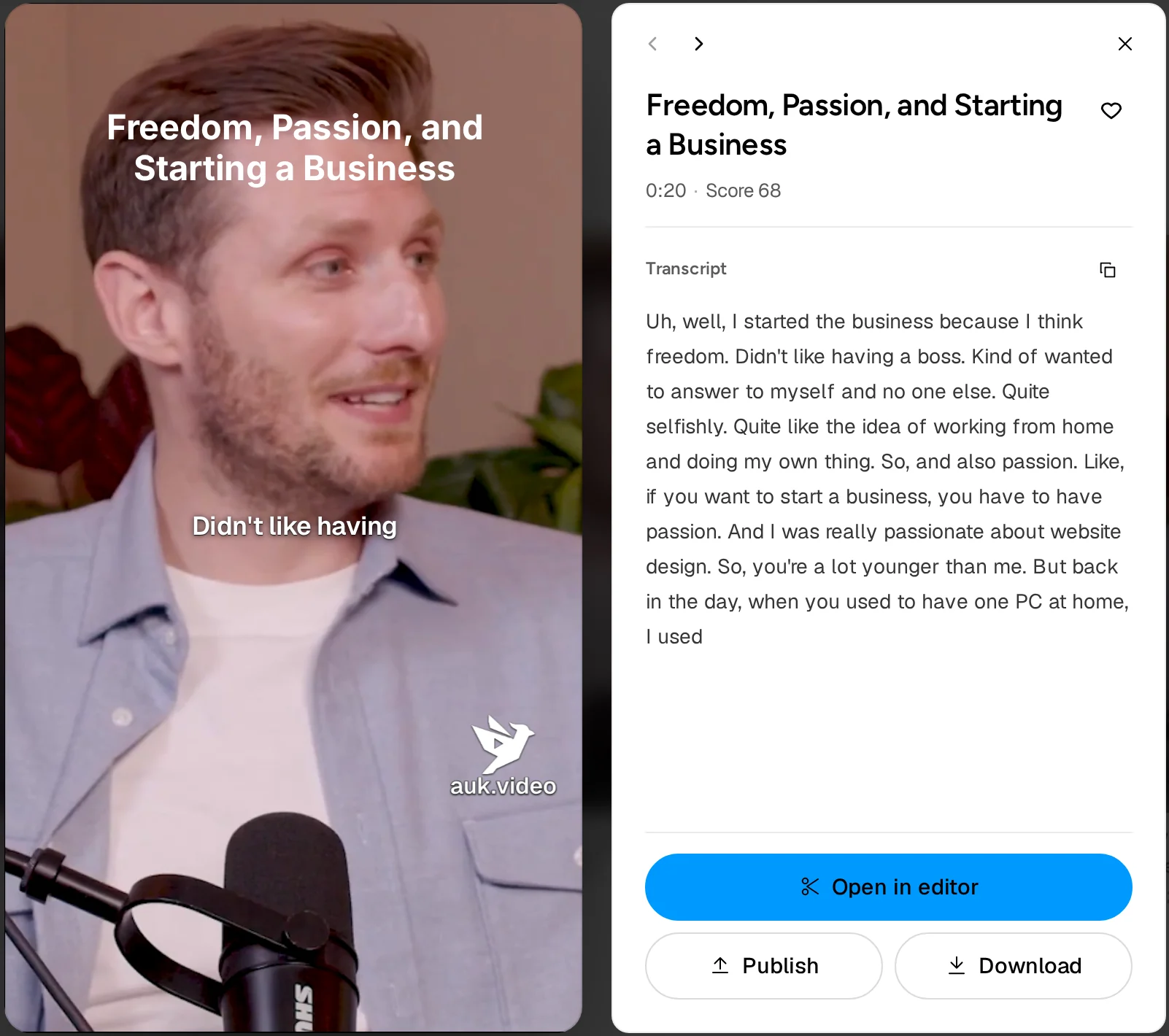
Footage: The B2B Marketing Strategy That Grew His Agency to $5M ARR by Success Clues Podcast, CC BY 4.0, cropped and captioned.
How do I export from the editor?
- Press Close at the top of the editor. Your latest changes are saved.
- Open the clip and press Download. If it changed since its last render, Auk renders it first.
To post the clip to TikTok, YouTube Shorts or Instagram Reels instead, press Publish. The clip opens on the Publishing page, where you choose the channel, the title and when it goes out.
What file do I get?
An H.264 MP4, vertical 9:16 at 1080 by 1920 pixels and 30 frames per second, with your captions, text, crop and layout burned in. How that fits each platform: TikTok, Instagram Reels, YouTube Shorts.
Will my export have a watermark?
Yes, if your account has never paid for a plan. The editor preview shows it where it will appear.
After your first payment, new exports have no watermark and the watermarked files are deleted. Render the clip again, for free, to get a clean copy.
Why is Download greyed out?
While your download is being prepared, the button shows Preparing and cannot be pressed again; it comes back once the file has saved. It is also greyed out while the clip is still loading in the player.
Publish works while a download is being prepared: a post you schedule waits for the new file.
What if a download fails?
The clip's tile reads Download failed, and the player shows the reason. Press Download again; it costs nothing.
Related
- How do I watch, favorite and download my clips?Your clips appear on the project page. Click one to play it, add it to favorites, open it in the editor, or download the MP4.
- How do I fix a wrong word in my captions?Correct a misheard word, cut words or fillers out of the video, change the speed or trim the clip from the Transcript panel in the Auk editor.
- How do credits work in Auk?One credit is one minute of the video or section you pick, charged once. Clips, edits, downloads and publishing are free; failed projects are refunded.
- What size and length should a TikTok video be?TikTok's own limits for video length, file size, format and resolution, from its help center and developer docs, and how Auk's export fits them.
- What size and length should an Instagram Reel be?Instagram's own specs for Reels aspect ratio, resolution, frame rate, length and file size, from its help center and Meta's developer docs.
- What size and length should a YouTube Short be?YouTube's own rules for Shorts length, aspect ratio and resolution, plus its recommended upload settings, and how Auk's export fits them.